Disclosure: This article contains affiliate links. If you purchase through these links, I may earn a commission at no extra cost to you.
Last updated: April 4, 2026
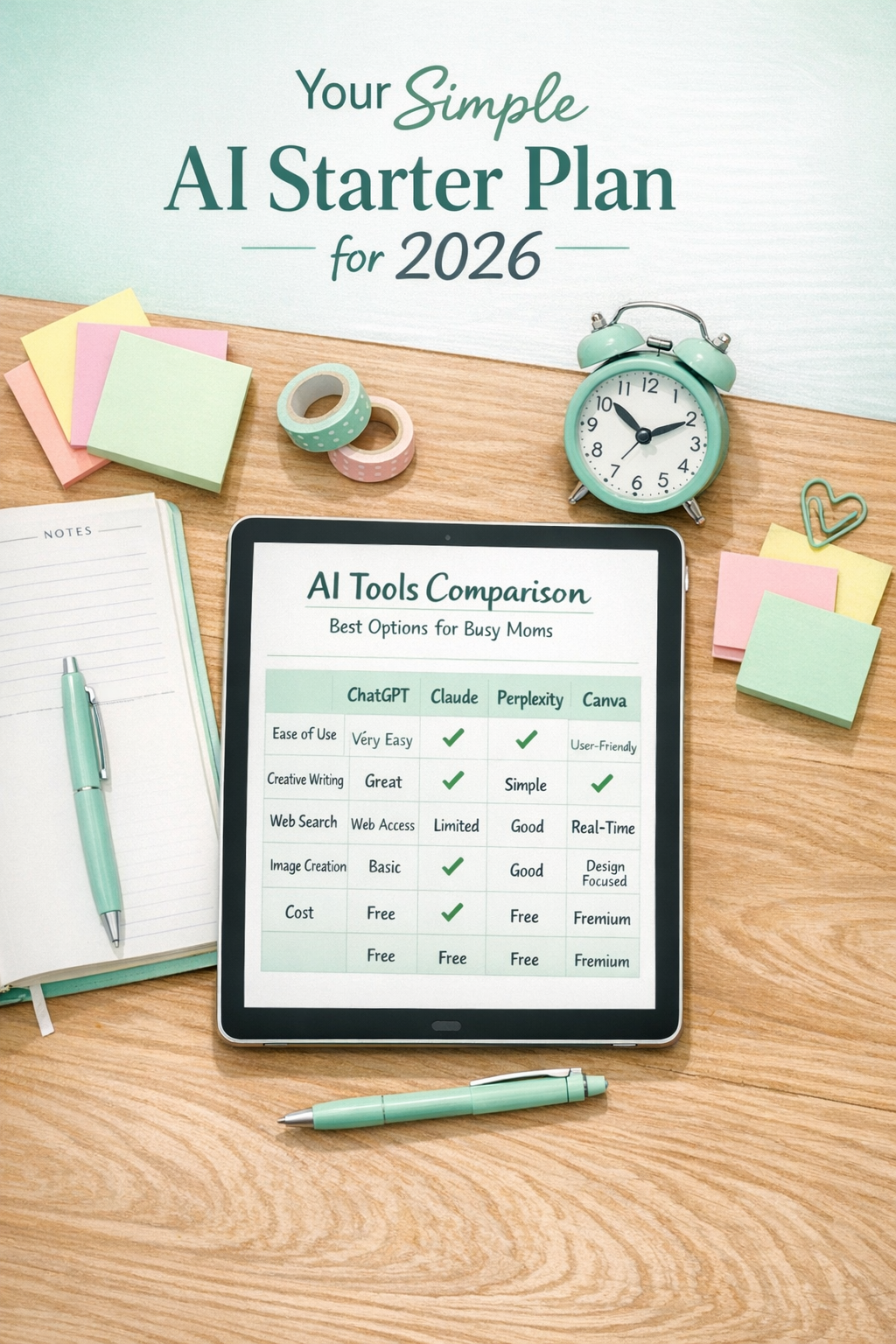
Quick Answer: The best AI tools for moms with no tech experience are ChatGPT, Claude, Perplexity, and Canva AI — all of which offer free versions, require no prior tech skills, and can be set up in under 15 minutes. These tools help with everything from meal planning and writing emails to creating social media graphics and doing research, saving busy moms hours every week.
Before you continue, this is something I wish I had found sooner…
If you’re a stay-at-home mom (or just looking for a simple way to make money online), AI can actually help you do more in less time—but only if you know how to use it the right way.
There’s a free live training with Tony Robbins and Dean Graziosi that shows you exactly how to use AI to save hours every week and turn it into real opportunities online—even if you’re starting from zero.
👉 Reserve your free seat and see how to use AI to create income from home (without tech overwhelm)
Key Takeaways
- ChatGPT is the top starter tool for moms — free to use, no credit card needed, and works for writing, planning, and brainstorming right away.
- Claude is better suited for longer, more detailed writing tasks and gives more thoughtful responses to complex questions.
- Perplexity replaces Google for research by giving direct answers with sources, so you skip the endless scrolling.
- Canva AI lets you create professional-looking graphics for social media or a blog with zero design experience.
- All major beginner AI tools offer free tiers — most moms can handle 90% of their needs without paying a cent.
- Setting up accounts across all four platforms takes about 15 minutes total.
- Specialized parenting apps like Huckleberry and Flo use AI to support sleep schedules, fertility tracking, and postpartum wellness.
- You do not need to be “tech-savvy” to start — if you can send a text message, you can use these tools.
- Starting small with one tool builds confidence fast; you don’t need to learn everything at once.
- If you want structured guidance, Learn to Confidently Use AI To Buy Back Your Time, Multiply Your Leverage & Accelerate Your Success.
Why Are So Many Moms Turning to AI Tools Right Now?
Moms are turning to AI tools because they save real time on real tasks — drafting emails, planning meals, creating content, and answering research questions — without requiring any technical background.
The shift is happening because AI tools have become genuinely easy to use. You type a question or request in plain English, and the tool responds like a knowledgeable assistant. There’s no coding, no complicated setup, and no steep learning curve.
For moms juggling kids, household responsibilities, and side income goals, simplicity matters. If you’ve been curious but held back by the fear of “not being tech enough,” that concern is now outdated. The tools covered in this guide — the core AI tools for moms with no tech experience: simple starters — were built for everyday users, not engineers.
If you’re ready to stop doing everything manually and start working smarter, learn to Confidently Use AI To Buy Back Your Time, Multiply Your Leverage & Accelerate Your Success.
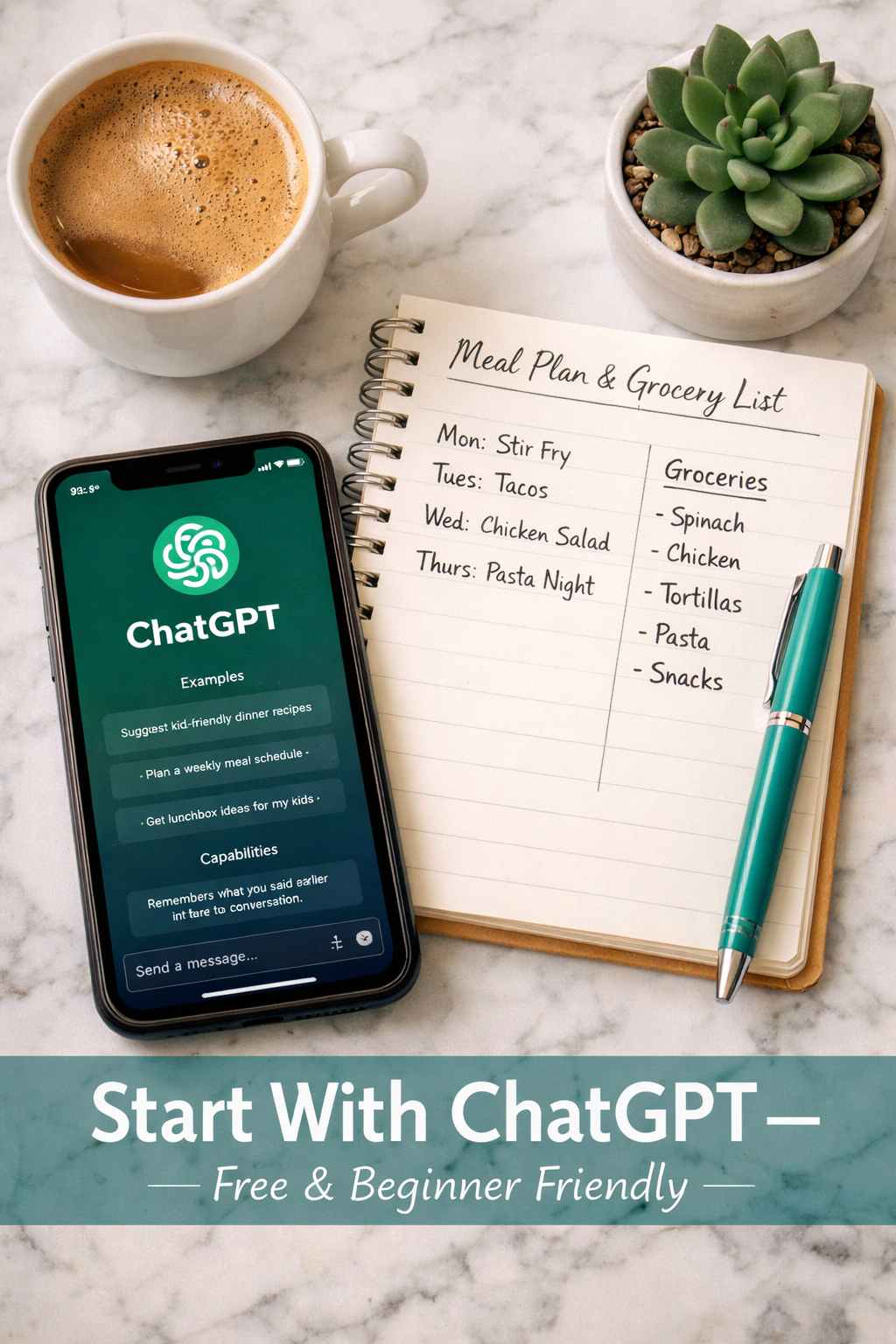
What Is ChatGPT and Why Is It the Best First AI Tool for Moms?
ChatGPT is a free AI assistant made by OpenAI that you can talk to like a real person — ask it anything, and it writes back with helpful, detailed answers. It’s the most widely recommended starting point for moms with no tech experience.
What ChatGPT can do for you:
- Write or edit emails (school communications, work follow-ups, complaint letters)
- Build weekly meal plans based on your family’s preferences and budget
- Create grocery lists from those meal plans automatically
- Brainstorm birthday party ideas, activity schedules, or gift ideas
- Draft social media captions, blog posts, or product descriptions
- Answer parenting questions with calm, organized responses
Cost: Free (no credit card required). A paid version at $20/month adds faster responses and more advanced features, but the free tier handles most everyday needs.
Common mistake: Moms often ask ChatGPT vague questions and get vague answers. The more specific your request, the better the result. Instead of “help me plan dinner,” try “create a 5-day dinner plan for a family of four with one picky eater who dislikes vegetables, budget under $100.”
How Does Claude Compare to ChatGPT for Beginners?
Claude, made by Anthropic, is a strong alternative to ChatGPT and is especially good for longer writing tasks and nuanced conversations. It tends to ask thoughtful follow-up questions, which helps when you’re working through a complex problem.
Choose Claude if you need to:
- Write longer blog posts, newsletters, or detailed emails
- Work through a complicated decision (like budgeting or career planning)
- Get responses that feel more conversational and less robotic
Cost: Free tier available; Pro version is $20/month.
Both ChatGPT and Claude are solid, simple starter AI tools for moms, and you can use both free versions side by side to see which one you prefer before spending anything.
What Is Perplexity and How Does It Replace Google for Busy Moms?
Perplexity is an AI-powered search tool that gives you direct answers with cited sources, instead of a list of links you have to click through and read yourself.
Think of it as having a research assistant who has already read everything relevant on the internet and summarizes the key points for you. For moms researching pediatric health questions, school programs, local resources, or side hustle ideas, this saves significant time.
Best uses for Perplexity:
- Quick fact-checking with real sources attached
- Researching products, services, or parenting topics
- Getting summaries of long articles or reports
- Comparing options (like “best free budgeting apps for families in 2026”)
Cost: Free, with a paid Pro tier for heavier research needs.
Can Canva AI Really Help Moms with Zero Design Experience?
Yes — Canva AI is one of the most practical tools for moms who want to create visual content for a blog, social media, or small business without hiring a designer or learning complex software.
Canva’s AI features include text-to-image generation, background removal, and smart design suggestions. You start with a professional template, swap in your text and photos, and publish. The learning curve is minimal.
What you can create with Canva AI:
- Pinterest graphics for a blog or side business
- Instagram posts and Stories
- Printable planners, checklists, or worksheets
- Simple logos or brand kits
- Presentations and pitch decks
Cost: The free version is generous. Canva Pro is $13/month and unlocks premium templates, the AI image generator, and brand kit features.
Decision rule: If you’re building any kind of online presence — even just a Pinterest account for affiliate marketing — Canva AI is worth trying on the free plan first.
Are There AI Tools Specifically for Parenting Tasks?
Yes — several apps use AI to support the specific challenges of parenting newborns, tracking health, and managing postpartum wellness.
| App | Best For | Cost |
|---|---|---|
| Huckleberry | Baby sleep schedules and recommendations | Free + paid tiers |
| Flo | Fertility tracking and emotional wellness | Free + paid tiers |
| Ovia | Pregnancy and postpartum support | Free |
| MyBaby | Sleep algorithms tailored to your child | Free + paid tiers |
These apps use AI to personalize recommendations based on your child’s data, rather than giving generic advice.
For hands-free organization, voice assistants like Amazon Alexa, Google Assistant, and Apple’s Siri are also underrated tools for managing family schedules, setting reminders, and controlling smart home devices while your hands are full.
How Do I Get Started with AI Tools for Moms with No Tech Experience: Simple Starters?
Getting started takes about 15 minutes and costs nothing. Here’s a simple step-by-step plan:
Step 1: Go to chat.openai.com and create a free ChatGPT account using your email.
Step 2: Type your first request — something simple, like “write a grocery list for a family of four for one week, healthy meals, budget-friendly.”
Step 3: Notice how it responds. Edit the prompt if needed and keep experimenting.
Step 4: Once comfortable with ChatGPT, create a free account at claude.ai and try the same request to compare.
Step 5: Visit canva.com and create a free account. Browse templates for whatever you want to make first.
Step 6: Bookmark perplexity.ai and use it next time you’d normally Google something.
That’s it. No downloads, no tech skills, no credit card required for any of these.
“Most moms can accomplish 90% of what they need with just the free versions of ChatGPT or Claude.”
If you want to go deeper and learn how to use AI to build income streams and save time consistently, Learn to Confidently Use AI To Buy Back Your Time, Multiply Your Leverage & Accelerate Your Success.
FAQ: AI Tools for Moms with No Tech Experience: Simple Starters
Q: Do I need any tech experience to use these AI tools?
No. If you can type a text message or search Google, you have all the skills needed to use ChatGPT, Claude, Perplexity, or Canva AI.
Q: Are these AI tools safe to use?
Yes, for general use. Avoid entering sensitive personal information like your Social Security number or banking details into any AI chat tool. Stick to general questions and tasks.
Q: How much does it cost to get started?
Zero. All four tools — ChatGPT, Claude, Perplexity, and Canva — have free versions with no credit card required.
Q: Which AI tool should I try first?
Start with ChatGPT. It’s the most widely used, has the most tutorials available, and handles the widest range of everyday tasks.
Q: Can I use AI tools to make money from home?
Yes. Many moms use ChatGPT and Canva AI to offer freelance writing, social media management, or graphic design services. AI tools speed up the work significantly.
Q: How long does it take to learn these tools?
Most people feel comfortable with basic tasks within one to two hours of experimenting. There’s no formal learning required.
Q: Is Claude better than ChatGPT?
Neither is universally better. Claude tends to produce more nuanced, detailed writing. ChatGPT is faster for quick tasks. Try both free versions and decide for yourself.
Q: What if I ask the AI something and the answer is wrong?
AI tools can make mistakes. Always double-check important information — especially medical, legal, or financial advice — against a trusted source. Use Perplexity for research since it includes citations.
Q: Can these tools help with my kids’ homework?
Yes, with caution. AI tools are great for explaining concepts in simple terms or helping a child understand a topic. But encourage kids to do their own thinking rather than copying AI responses directly.
Q: Are there AI tools designed specifically for new moms?
Yes. Apps like Huckleberry, Flo, and Ovia use AI to support sleep training, fertility, and postpartum health specifically.
Conclusion: Your Next Step Starts Today
The best AI tools for moms with no tech experience: simple starters are already free, already waiting, and genuinely easy to use. ChatGPT handles your writing and planning. Claude deepens your thinking. Perplexity replaces hours of Googling. Canva AI makes you look like a professional designer without any design skills.
You don’t need to learn everything at once. Pick one tool, try one task today, and build from there. The moms who are saving the most time in 2026 aren’t necessarily the most tech-savvy — they’re the ones who started.
And if you’re ready to go beyond the basics and use AI to build real income and freedom in your life, Learn to Confidently Use AI To Buy Back Your Time, Multiply Your Leverage & Accelerate Your Success.
Start with one tool. Start today. The learning curve is smaller than you think.
References
[1] 4 Essential AI Tools Every Struggling Working Mom Needs Now – https://catherineallenblog.com/4-essential-ai-tools-every-struggling-working-mom-needs-now/
[2] The Best AI Tools For Moms – https://www.bytesizemom.com/blog/the-best-ai-tools-for-moms
[3] Ai Tools For Parents Best Tech For Modern Parents In 2026 – https://newnativebaby.com/blogs/news/ai-tools-for-parents-best-tech-for-modern-parents-in-2026
[4] Ai Tools For Moms 2 – https://realliferealkitchen.com/ai-tools-for-moms-2/
[5] The Best AI Tools And Parenting Apps – https://www.luminarymothers.com/articles/the-best-ai-tools-and-parenting-apps
[7] 10 Best AI Tools For New Moms To Boost Productivity In 2026 – https://usevoicy.com/blog/10-best-ai-tools-for-new-moms-to-boost-productivity-in-2026